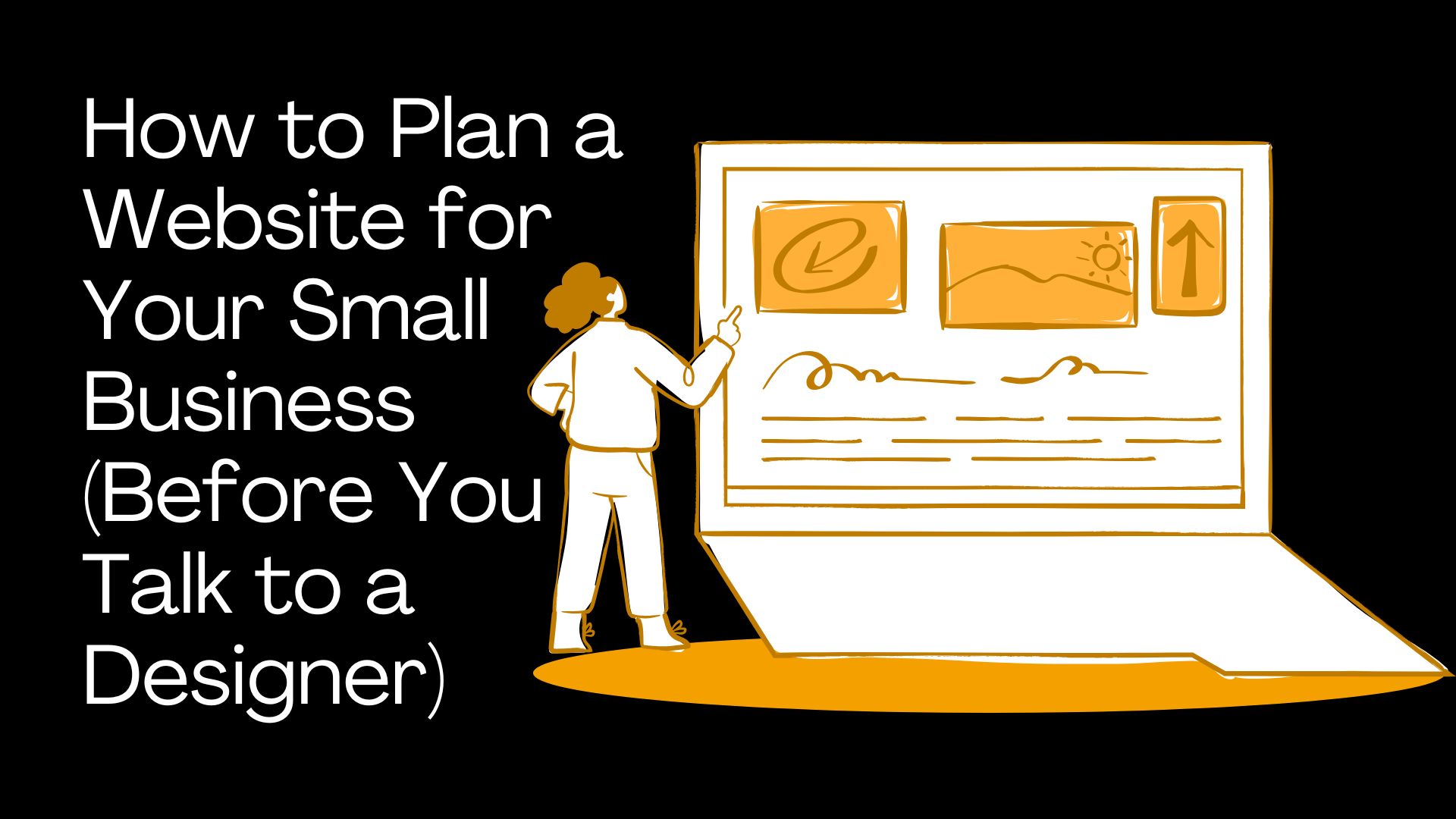
Most website projects do not fail because of bad design. They fail because nobody planned what the website actually needed to do before the project started. Goals were vague. Content was not ready. Pages got added halfway through. And the timeline blew out because everyone assumed someone else had it covered.
This guide is a pre discovery workbook for Melbourne small business owners. Whether you are building your first website, replacing an outdated one or preparing for a redesign, this will help you walk into the first meeting with a designer knowing exactly what to bring, what to decide and what questions to answer. If you want the full picture of what your website needs to do, start with our pillar guide. This article focuses on the planning that happens before design begins.
The Straight Answer: Know What the Website Needs to Do Before You Design It
Before you talk to a designer, you do not need a perfect sitemap, polished copy or a finished brand strategy. But you should be able to answer a handful of basic questions clearly.
At minimum, know this before the first meeting:
What the website needs to achieve (calls, quote requests, bookings, sales, credibility)
Who the website is for (your ideal customer, not everyone)
What services or products matter most
What pages you probably need
What content and assets already exist
What is not working with the current site (if you have one)
What action you want visitors to take
A website brief does not need to be fancy. It needs to be clear enough to help your designer understand the job the website has to do.
That is the bar. Not perfection. Clarity. The clearer you are about the goal, the easier it is for a designer to recommend the right approach, quote accurately and deliver something that actually works for your business.
Why Website Projects Go Wrong Without Planning
Most website headaches are not design problems. They are planning problems that show up after the project has started. Here are the patterns we see most often.
The goal is unclear
If nobody has decided whether the site is meant to generate phone calls, quote requests, bookings, ecommerce sales or just credibility, the design becomes guesswork. The designer builds something that looks fine but does not actually drive the outcome the business needs. This is the most common root cause of websites that get traffic but no enquiries.
The sitemap keeps changing
When pages get added halfway through a build, the scope changes. So does the copy, the navigation, the design layout and usually the timeline. What started as a 6 page site turns into 12 pages and the quote no longer covers it.
Content is not ready
Missing copy, photos, testimonials, service descriptions and team bios are the single biggest cause of website project delays. Design can move fast. Waiting for content cannot.
The website gets designed around opinions, not customers
A business owner's favourite colour or personal design preference is not the same as what customers need to see before they enquire. The site should be planned around what visitors need to understand, not what looks best to the person paying for it.
The quote becomes harder to price accurately
A clear brief helps the designer or agency quote properly. A vague brief usually leads to assumptions, exclusions or surprises later. If you want to understand what drives cost, read our breakdown of what a website actually costs.
Start With the Website Goal
This is step one. Before pages, before design, before copy. What is the main job of the website?
What is the main job of the website?
Every business website exists to do something. That something might be:
Generate quote requests or enquiries
Get phone calls
Book appointments or consultations
Sell products online
Build credibility and trust
Support Google Ads campaigns
Support organic SEO
Explain services clearly to potential customers
Replace an outdated site that no longer represents the business
Pick one primary goal
A website can support multiple goals, but one should lead. That primary goal shapes every decision, from the homepage layout to the main call to action, to how the navigation is structured.
Some examples:
For a tradie: Primary goal = phone calls and quote requests
For a consultant: Primary goal = consultation bookings
For an ecommerce brand: Primary goal = product sales
For a professional services firm: Primary goal = qualified enquiries and trust building
Define secondary goals
Secondary goals support the primary one. They might include:
Newsletter signups
Case study or portfolio views
Brochure or guide downloads
Job applications
Brand trust and credibility
Customer support or self service
Secondary goals still matter. But they should not compete with or distract from the primary conversion action.
Understand Who the Website Is For
One of the fastest ways to weaken a website is to plan it for everyone. A site that tries to speak to homeowners, developers, property managers and enterprise buyers all at once usually speaks clearly to none of them.
Who is your ideal customer?
You do not need a 20 page persona document. But you should be able to answer:
Are they homeowners, business owners, marketers, families or something else?
Are they local, national or international?
Are they price sensitive or quality focused?
Are they urgent buyers (broken pipe, locked out) or research heavy buyers (comparing accountants)?
Are they first time buyers or experienced customers who know what they want?
What do they need to know before they enquire?
Think about the questions your best customers ask before they pick up the phone or submit a form:
Do you service my area?
How much does it cost?
Can I trust you? Have you done this before?
What happens after I enquire?
How long will it take?
Can I see examples of your work?
Do you work with businesses like mine?
These questions should directly shape your page structure and content. If your ideal customer wants to know pricing before they call, your site needs pricing guidance. If they want proof, you need case studies and reviews. For more on structuring pages that answer these questions, see our guide to how to write a service page.
What objections do they already have?
Every potential customer arrives with doubts. Common ones include:
"Will this be expensive?"
"Will I be locked into a platform?"
"Can I update the site myself?"
"Will this work for SEO?"
"Are you actually local?"
"Will I get a clear quote?"
Planning a website means planning the questions the page needs to answer. If you know the objections, you can address them before they cost you the enquiry.
Clarify Your Services, Products or Offers
A lot of websites become confusing because the business itself has not prioritised its offers. Before you brief a designer, get clear on what you actually sell and what matters most.
List your main services or products
Write out everything you offer. Do not edit yet. Just get it all down in one place.
Group related services
Once you have the list, group related items together. This grouping often becomes your navigation structure.
Example for an agency:
Web Design
SEO
Google Ads
Social Media Marketing
Landing Pages
Website Maintenance
Example for a tradie:
Emergency plumbing
Blocked drains
Hot water repairs
Leak detection
Gas fitting
Identify the services that deserve their own pages
A service usually deserves its own page if:
People search for it specifically (e.g. "blocked drains Brunswick")
It generates meaningful revenue
It solves a distinct problem worth explaining
It needs its own explanation that would clutter a combined page
It supports SEO or Google Ads targeting
Not sure which platform will handle this best? Our comparison of WordPress vs Webflow vs Shopify vs Custom can help you understand which build approach suits your business structure.
Decide what should be featured first
Not every service deserves equal space on the homepage. Prioritise based on:
Customer demand (what people search for and ask about most)
Profitability (what generates the most value per project)
Strategic importance (what you want to be known for)
Customer urgency (emergency services go front and centre)
Search opportunity (services with strong local search volume)
Plan a Simple Sitemap
A sitemap is the list of pages your website needs and how they fit together. It is not a design. It is not a wireframe. It is just a clear picture of what pages exist and how visitors move between them.
Starter sitemap for a small business website
Most small business websites start with some version of this:
Home
About
Services (overview page)
Individual service pages (one per core service)
Case studies or projects
Blog or resources
Contact
That is 7 to 15 pages depending on how many services you offer. It covers what most visitors need and gives you a solid structure for SEO and conversions.
Example sitemaps by business type
The right sitemap depends on what your business does and how customers find you. Here is how it typically breaks down:
Business Type | Core Pages | Optional Pages | Notes |
|---|---|---|---|
Local service business | Home, About, Services (3-5), Contact, Reviews | Blog, FAQs, Service areas | Focus on local SEO and phone calls |
Tradie | Home, Services (3-6), Service Areas, Gallery, Contact | Reviews page, Blog, Emergency page | Mobile first. Tap to call is critical |
Consultant / Professional | Home, About, Services (2-4), Case Studies, Blog, Contact | Resources, Booking page, Team bios | Trust heavy. Proof and credentials matter |
Ecommerce store | Home, Shop, Collections, Product pages, About, Contact | Blog/Guides, Shipping info, FAQs, Returns | Needs clear categories and search filters |
Clinic / Salon | Home, Services, Team, Booking, Contact | Blog, FAQs, Before/after gallery | Online booking integration is usually essential |
Agency / B2B | Home, Services (4-8), Case Studies, About, Blog, Contact | Pricing, Team, Resources, Careers | Longer decision cycle. Content depth matters |
Do not overbuild the first sitemap
The goal is not to create 50 pages on day one. The goal is to plan the pages that matter first and build a structure that can grow. A clear 10 page site beats a bloated 30 page site that confuses visitors and dilutes your SEO. If you want help mapping out the right structure for your business, a Melbourne web design agency can work through this with you during discovery.
Gather Your Website Content Before the Project Starts
Content delays kill website projects. The design can be finished in days, but if the copy, photos, testimonials and service details are not ready, the whole build stalls. Start gathering content as early as possible.
Business basics
Prepare these first. They sound obvious, but they are often scattered across different documents and team members:
Business name (exactly as it should appear on the site)
ABN (if relevant for your industry)
Phone number
Email address
Physical address or service area
Opening hours
Social media links
Google Business Profile link
Key staff names, roles and short bios
Service information
For each important service, gather:
Service name
Who it is for
Problem it solves
What is included
Pricing or pricing factors (even a general range helps)
The process (what happens step by step)
Common FAQs for that service
Proof or examples (photos, results, case studies)
Clear call to action (what should someone do next?)
If writing this content feels difficult, our guide on how to write website copy walks through practical frameworks for getting it done without sounding robotic.
Trust proof
Trust proof is what turns a visitor into an enquiry. Gather as much as you can:
Testimonials (with real names and businesses where possible)
Google reviews (screenshot or link the best ones)
Case studies or project stories
Before and after photos
Certifications, accreditations and licences
Awards
Client logos (with permission)
Media mentions
Brand assets
Pull together whatever exists:
Logo files (ideally SVG, PNG with transparent background and a dark version)
Brand colours (hex codes if you have them)
Fonts (if already chosen)
Professional photos (team, workspace, projects)
Videos
Brochures or printed materials
Previous website files or backups
Brand guidelines (if they exist)
Website access
This one trips up more businesses than you would expect. Before the project starts, confirm you have login access for:
Domain registrar (where your domain name is registered)
Hosting provider
Current CMS or website builder
Google Analytics
Google Search Console
Google Business Profile
Google Tag Manager
Email marketing tools (Mailchimp, etc.)
Booking or scheduling tools
CRM (if you use one)
Research Competitors Without Copying Them
Competitor research is one of the most useful pre project tasks you can do. Not to copy anyone, but to clarify what good looks like in your industry and where the gaps are.
Pick 3 to 5 competitors
Choose a mix:
Direct local competitors (same services, same area)
Higher end competitors (the businesses you aspire to match)
Competitors ranking well in Google for your key services
Competitors your customers are likely comparing you against
Look at what they explain well
For each competitor, ask:
Is their offer immediately clear?
Are their service pages more detailed than yours?
Do they show proof (reviews, case studies, before/after)?
Is pricing guidance visible?
Is their mobile experience good?
Are their calls to action stronger or clearer?
Do they answer better FAQs?
Look at what they do badly
This is where the opportunity is. Common weaknesses include:
Vague homepage with no clear offer
No real photography (all stock images)
Weak or missing service pages
Poor mobile layout
No social proof or reviews
No pricing guidance at all
Confusing contact forms
Do not ask your designer to copy a competitor. Use competitor research to clarify your expectations and find opportunities they have missed.
Decide What Style and Tone Fits the Business
Before a designer starts on layouts and colours, it helps to get clear on how the brand should feel. Not the visuals yet. The words and the impression.
Choose words before visuals
Ask yourself:
Should the brand feel premium or practical?
Friendly or formal?
Direct or soft?
Technical or plain English?
Local and approachable or polished and corporate?
These answers will shape everything from the copy tone to the design style. A premium accounting firm and a local plumber both need good websites, but they should not look or sound the same.
Gather examples of sites you like
Send your designer 3 to 5 websites you think look and feel right. For each one, explain what you like:
The layout or structure
The clarity of the offer
The photography style
The tone of the copy
The navigation
The service page format
The mobile experience
How proof and reviews are displayed
Also gather examples you dislike
This can be just as useful. Telling a designer what you want to avoid saves rounds of revision.
Set a Realistic Budget and Timeline
Budget and timeline conversations are awkward, but having them early makes everything smoother. A designer cannot recommend the right solution without knowing the constraints.
Know your rough budget range
You do not need an exact number. But you should know which bracket you are working in:
A basic starter site (template based, minimal customisation)
A proper small business site (custom design, 6-15 pages, conversion focused)
A conversion focused redesign (new structure, new copy, SEO migration)
A custom build with specific functionality (booking systems, calculators, portals)
An ecommerce site (product catalogue, payments, shipping)
A landing page system for ads
Ongoing support and maintenance
For a detailed breakdown by project type, see our guide to website cost in Melbourne. And watch for the hidden website costs that catch businesses off guard, like stock photography, premium plugins, copywriting and ongoing hosting.
Understand what affects cost
The main factors that influence website pricing include:
Number of pages
Copywriting (are you writing it or is the agency?)
Professional photography
Ecommerce functionality
Booking or scheduling systems
Third party integrations (CRM, email marketing, payment gateways)
SEO migration from an old site
Custom design vs template based
Custom functionality (calculators, portals, dashboards)
Speed and performance requirements
Be honest about deadlines
If there is a launch date tied to a marketing campaign, a seasonal event or a business milestone, mention it early. A designer can often adjust scope to meet a real deadline, but not if they find out about it halfway through the build.
Do not hide constraints
A good designer can often recommend a better scope if they know the real budget and timeline. Hiding constraints does not get you a better deal. It usually gets you a proposal that does not match what you can actually do.
Think About SEO Before the Website Is Designed
SEO is not something you bolt on after a website is built. It affects page structure, URL format, copy, internal links, speed and content planning. If you want the site to rank, SEO needs to be part of the plan from the start.
List the services and locations you want to be found for
Write out the basic keyword targets. These do not need to be sophisticated. Just practical:
"web design Melbourne"
"emergency plumber Brunswick"
"accountant for small business Melbourne"
"Shopify developer Australia"
Each of these might translate into a dedicated service page or location page on your site.
Identify existing pages that already rank
If you are redesigning an existing site, check Google Search Console or Google Analytics to see which pages already bring in organic traffic. Do not delete or rewrite those pages without a migration plan. For the full process, see protecting SEO through a rebuild.
Plan service pages around search intent
Important service pages should be structured before design begins, not figured out afterwards. A service page for "blocked drains Melbourne" needs different content and structure than a general "our services" page. Plan the page around what someone searching that term actually wants to know.
Plan redirects if URLs will change
If you are moving from an old website to a new one and URLs are changing, you need a redirect plan. Every old URL that has traffic or backlinks should point to its equivalent on the new site. Skipping this step can wipe out months or years of SEO progress overnight.
Do not treat SEO as something to add later
SEO is not a feature you add after launch. It is a planning input that affects your sitemap, your copy, your URL structure, your page speed and your content strategy. If you want a deeper understanding, our full our website playbook covers how SEO ready structure works in practice.
The Australian Government Digital Service Standard recommends building websites with findability and accessibility in mind from the outset, not as an afterthought.
Plan the Main Conversion Path
A website should have a clear next step for visitors. If someone is interested in what you offer, they should never have to guess how to get in touch or what happens next.
What action should visitors take?
Pick the primary conversion action. Common ones include:
Call now (especially for trades and emergency services)
Request a quote
Book a consultation
Submit a project enquiry
Buy a product
Book an appointment
Download a guide or resource
What form fields do you actually need?
For most service business websites, a contact form needs:
Name
Email
Phone number
Service needed (dropdown or short description)
Message
That is five fields. Every extra field you add reduces the number of people who complete the form. Only ask for information you genuinely need to respond to the enquiry.
If your site collects personal information through forms, the Australian Privacy Principles require you to handle that data responsibly. You should have a privacy policy that explains what you collect and why. If you are unsure about compliance, get professional advice.
What happens after enquiry?
Plan the post enquiry experience:
What is the expected response time?
Who in the business follows up?
Does the user get an email confirmation?
Do enquiries go into a CRM or just to an inbox?
Are phone calls tracked?
Is booking automated or manual?
For guidance on setting up tracking properly, see our guide to Google Analytics 4 for small business.
What counts as a successful lead?
Not every form submission is equal. Before the project starts, define what a successful outcome looks like:
Enquiry (someone filled out the form)
Qualified lead (they match your ideal customer profile)
Booked call or meeting
Sale or project start
Project fit (right scope, right budget, right timeline)
Having this defined early helps your designer build the right conversion flow and helps you measure whether the website is working after launch.
Simple Website Brief Template
You do not need a 20 page document to brief a web designer. You need a clear one pager (or two pager) that covers the essentials. Here is a simple template you can fill in and send before your first meeting.
Business overview
Business name:
Current website URL (if applicable):
Contact person and role:
Location or service area:
What does the business do (in one or two sentences)?
Who are your main customers?
Project goal
Why are you building or redesigning the website?
What is the main action visitors should take?
What is not working with the current site?
What would make this project successful?
Audience
Who is the ideal customer?
What problems do they have that you solve?
What questions do they ask before buying?
What objections do they have?
Pages needed
Home
About
Services (list individual service pages if known)
Projects or case studies
Blog or resources
Contact
Other (list any additional pages):
Services and products
Main services or products:
Highest priority services:
Most profitable services:
Services or products to promote less:
Content and assets
Existing copy (what can be reused, what needs rewriting)?
New copy needed?
Photos available?
Testimonials and reviews?
Case studies or project examples?
Brand assets (logo, colours, fonts)?
Videos?
Downloads or brochures?
Competitors and inspiration
Main competitors (URLs):
Websites you like (explain what you like about each):
Websites you dislike (explain what you dislike):
What should your site feel like?
SEO and tracking
Important keywords or services to rank for:
Important locations to target:
Existing pages that rank well (if redesigning):
Google Analytics access?
Google Search Console access?
Forms, calls and bookings to track?
Budget and timeline
Budget range:
Ideal launch date:
Hard deadline (event, campaign, etc.)?
Ongoing support needed after launch?
Access
Domain registrar:
Hosting provider:
Current CMS:
Google Analytics:
Google Search Console:
Google Business Profile:
Email marketing, CRM or booking tools:
Here is a quick reference version of the brief template showing what each section covers and why your designer needs it:
Brief Section | Key Questions | Why the Designer Needs It |
|---|---|---|
Business overview | Name, URL, location, what the business does, who it serves | Context. Understanding the business before shaping the site. |
Goals | Why build/redesign, main visitor action, what success looks like | Without goals, design is guesswork. |
Audience | Ideal customer, their problems, pre purchase questions, objections | Shapes copy, structure, proof and calls to action. |
Pages needed | Sitemap draft, priority pages, contact and CTA paths | Defines scope, navigation and project size. |
Content | Copy status, photos, reviews, case studies, brand assets | Content gaps are the main cause of project delays. |
SEO | Target keywords, locations, existing rankings, redirect needs | Affects page structure, URLs and copy from day one. |
Competitors | Competitor URLs, what they do well, what they miss | Helps the designer understand positioning and expectations. |
Integrations | Booking tools, CRMs, payment, email marketing | Affects platform choice and development scope. |
Budget and timeline | Range, launch date, hard deadlines, ongoing support | Lets the designer recommend the right scope and approach. |
Access | Domain, hosting, CMS, analytics, business profile | Missing access delays projects. Confirms who controls what. |
Website Planning Checklist Before You Speak to a Designer
Use this as a quick self audit before your first meeting. You do not need every item ticked, but the more you prepare, the smoother the project will be.
Strategy
Main website goal defined
Ideal customer identified
Primary call to action chosen
Key services or products listed
Service areas confirmed
Major customer objections listed
Success metric defined (what does a good outcome look like?)
Structure
Draft sitemap created
Priority pages identified
Individual service pages planned
Contact and quote path mapped
Blog or resources section planned (if needed)
Legal and policy pages included (privacy policy, terms)
Content
Service descriptions written or drafted
About page copy prepared
Testimonials gathered
Google reviews collected
Case studies or project examples documented
FAQs compiled for key services
Team bios and photos ready
Pricing guidance prepared (if relevant)
Assets
Logo files ready (SVG, PNG, dark and light versions)
Brand colours confirmed
Professional photos available
Videos available (if applicable)
Project or portfolio images gathered
Product images ready (for ecommerce)
Documents, downloads or brochures prepared
Technical and access
Domain registrar login confirmed
Hosting login confirmed
Current website CMS login confirmed
Google Analytics access confirmed
Google Search Console access confirmed
Google Business Profile access confirmed
Email marketing tools access confirmed
CRM or booking tools access confirmed
Research
3 to 5 competitors reviewed
Inspiration sites gathered
Customer questions listed
Target keywords and services identified
Existing page performance checked (if redesigning)
Quick reference: website planning areas at a glance
Planning Area | What to Prepare | Why It Matters | Common Mistake |
|---|---|---|---|
Goals | Primary goal, secondary goals, success metric | Everything else flows from the goal | Starting design before the goal is clear |
Audience | Ideal customer, their questions, their objections | Shapes copy, structure and proof | "We serve everyone" planning |
Sitemap | Page list, service pages, navigation structure | Defines scope, quote and timeline | Adding pages mid project |
Content | Copy, photos, reviews, case studies, bios | Content delays kill timelines | Assuming content will appear on its own |
Competitors | 3-5 competitor URLs, strengths and gaps | Clarifies expectations and opportunities | Asking the designer to copy a competitor |
SEO | Keywords, locations, existing rankings, redirects | Affects page structure and copy from day one | Treating SEO as a post launch add on |
Assets | Logo, colours, photos, videos, brand files | Avoids delays waiting for files | Not having logo files in usable formats |
Access | Domain, hosting, CMS, analytics, Search Console | Missing logins delay handover | Relying on an old agency to hold all logins |
Budget / Timeline | Budget range, launch date, hard deadlines | Lets designer recommend the right scope | Hiding budget then expecting a perfect match |
Tracking | Forms, calls, bookings, analytics, Search Console | Proves whether the website is working | No tracking setup at launch |
Questions to Answer Before Your First Web Design Meeting
Before your first meeting with a designer or agency, run through these questions. You do not need polished answers for all of them, but thinking through them beforehand will make the conversation far more productive.
What is the main reason we need a new website?
What should the website do better than the current one?
Who are the most valuable customers we want more of?
Which services or products matter most?
What pages do we definitely need?
What proof do we have (reviews, case studies, credentials)?
What questions do customers ask before they enquire?
What is our budget range?
What is our ideal launch date?
Who will approve content and design decisions?
Who will maintain the site after launch?
What tools does the site need to connect with (CRM, booking, email)?
What do we need to track after launch (calls, forms, bookings, sales)?
Common Website Planning Mistakes Small Businesses Make
These are the patterns we see regularly. Most of them are avoidable with a bit of upfront planning.
Starting with design inspiration before strategy
Pretty examples are useful, but only after the website goal is clear. Choosing a look before defining the purpose often results in a site that looks great but does not convert. Strategy first, then design.
Not knowing what pages are needed
This causes late scope changes, which cause timeline blowouts and quote revisions. Plan at least a draft sitemap before the first meeting.
Waiting too long to gather content
Photos, reviews, service descriptions and team bios always take longer than expected. Start gathering content as soon as the project is confirmed, not after design is finished. If you need help structuring your homepage, our guide on homepage copy tips walks through exactly what each section should include.
Forgetting about SEO during planning
Page structure, URLs, headings and internal links should all support search from the start. Retrofitting SEO after a site is built is more expensive and less effective than building it in from day one.
Not preparing access
Old agencies, lost logins and missing domain access can delay projects by weeks. Confirm access to your domain, hosting, analytics and CMS before the project starts.
Trying to speak to everyone
A clear audience makes better copy, better page structure and better design possible. If you try to write for homeowners, developers and enterprise buyers all at once, you end up writing for none of them.
Hiding budget expectations
Designers cannot recommend the right solution if they do not know the constraints. Being upfront about budget helps both sides avoid wasted time.
Treating the website as a design project only
A website is a strategy project, a content project, an SEO project, a tracking project and a conversion project. Design is one part of it. The businesses that get the best results treat it as all of those things from the start.
What We Recommend at Elev8d
You do not need to have every detail solved before talking to a designer. A good discovery process is designed to fill in the gaps together.
But if you can explain your goals, your audience, your services, the pages you need, the content you have and the constraints you are working with, the project starts from a much better place.
A strong website brief helps avoid:
Vague proposals that miss the mark
Pages that get discovered halfway through the build
Budget surprises from unplanned scope
Rushed content that weakens the final site
Weak service pages that do not convert
SEO mistakes that cost rankings
Confusing launch timelines
If you want to understand the full website design and development guide we have built for Melbourne businesses, it covers everything from page structure and speed to SEO, copy and choosing the right agency. It is a useful companion to this planning guide.
FAQs
How do I plan a website for my small business?
Start with the goal: what should the website do? Then identify your ideal customer, list the services or products that need pages, draft a simple sitemap and gather your content and assets. Use the brief template in this article to organise it all before your first designer meeting.
What should I prepare before talking to a web designer?
At minimum, prepare your website goal, a draft sitemap, a list of your key services, any existing content and brand assets, competitor examples, access details for your domain and hosting and a rough budget range. The more you prepare, the more accurate the quote and the smoother the project.
What should be included in a website brief?
A good brief covers: business overview, project goals, target audience, pages needed, services to feature, content and assets available, competitor research, SEO priorities, integrations needed, budget range, timeline and access details. It does not need to be long. It needs to be clear.
How many pages does a small business website need?
Most small business websites work well with 7 to 15 pages: a homepage, about page, 3 to 8 service pages, a case studies or portfolio section and a contact page. The right number depends on how many distinct services you offer and whether each one needs its own page for SEO or conversion reasons.
Should I write the content before hiring a designer?
You do not need finished copy before the project starts, but you should have the raw material: service descriptions, key selling points, FAQs and proof. Many agencies can help refine the copy, but they still need your knowledge and inputs to work from. For tips on getting started, see our guide to how to write website copy.
Do I need brand photos before starting a website project?
Not always, but they help significantly. Real photos of your team, workspace and projects build trust far better than stock images. If a full photoshoot is not in budget, start with what you have and plan professional photos as a follow up investment.
Should I research competitors before building a website?
Yes. Reviewing 3 to 5 competitor websites helps you understand what good looks like in your industry, identify gaps you can exploit and give your designer clearer direction. Just do not ask them to copy anyone.
How do I plan a website sitemap?
List every page you think the site needs. Group related pages (services under a services section, for example). Prioritise the pages that matter most for conversions and SEO. Start with a simple structure and plan to add more pages later as the business grows.
What access does a web designer need?
At minimum: domain registrar, hosting, current CMS, Google Analytics, Google Search Console and Google Business Profile. If you use a CRM, booking tool or email marketing platform, access to those may also be needed depending on the integrations required.
How early should I think about SEO and tracking?
From the very beginning. SEO affects page structure, URL format, copy and internal linking. Tracking (analytics, call tracking, form tracking) should be planned before launch so you can measure results from day one. Both are much harder and more expensive to retrofit than to build in from the start.
Next Steps: Pick Your Path
You have read the planning guide. Now pick the path that fits where you are:
Ready to plan? Use the website brief template above. Fill in what you can, gather your assets and you will be ahead of most businesses when you walk into the first meeting.
Want the full picture? Read our complete web design guide for Melbourne businesses. It covers page structure, layout, speed, SEO, copy, trust signals, costs and choosing an agency.
Need help with the build? Talk to Elev8d about turning your goals, services and content into a clear website plan before design begins. Or explore our web design and development services to see how we approach website projects. No lock in. No fluff. Just honest advice and a clear process.
Need a specific cost estimate? Our breakdown of how much a website costs in Melbourne gives you realistic price ranges by project type.
Not sure which platform? Our comparison of which website platform is right for your business helps you understand the trade offs between WordPress, Webflow, Shopify and custom builds. You can also read our plain English guide to what a CMS is if you are new to the concept.
Sources and Further Reading
Australian Government Digital Service Standard - Guidance on building accessible, user centred digital services
OAIC - Australian Privacy Principles - Privacy requirements for businesses collecting personal information
ACCC - Advertising and Promotions - Rules on truthful advertising, reviews and pricing transparency
Australian Cyber Security Centre - Cyber security basics for small businesses
Google Search Console - Free tool for monitoring your website's search performance
Google PageSpeed Insights - Free tool for testing website speed and Core Web Vitals
General information only. Rules vary by situation, particularly around advertising claims, privacy, reviews and consumer law. If you are unsure about compliance, get professional advice.