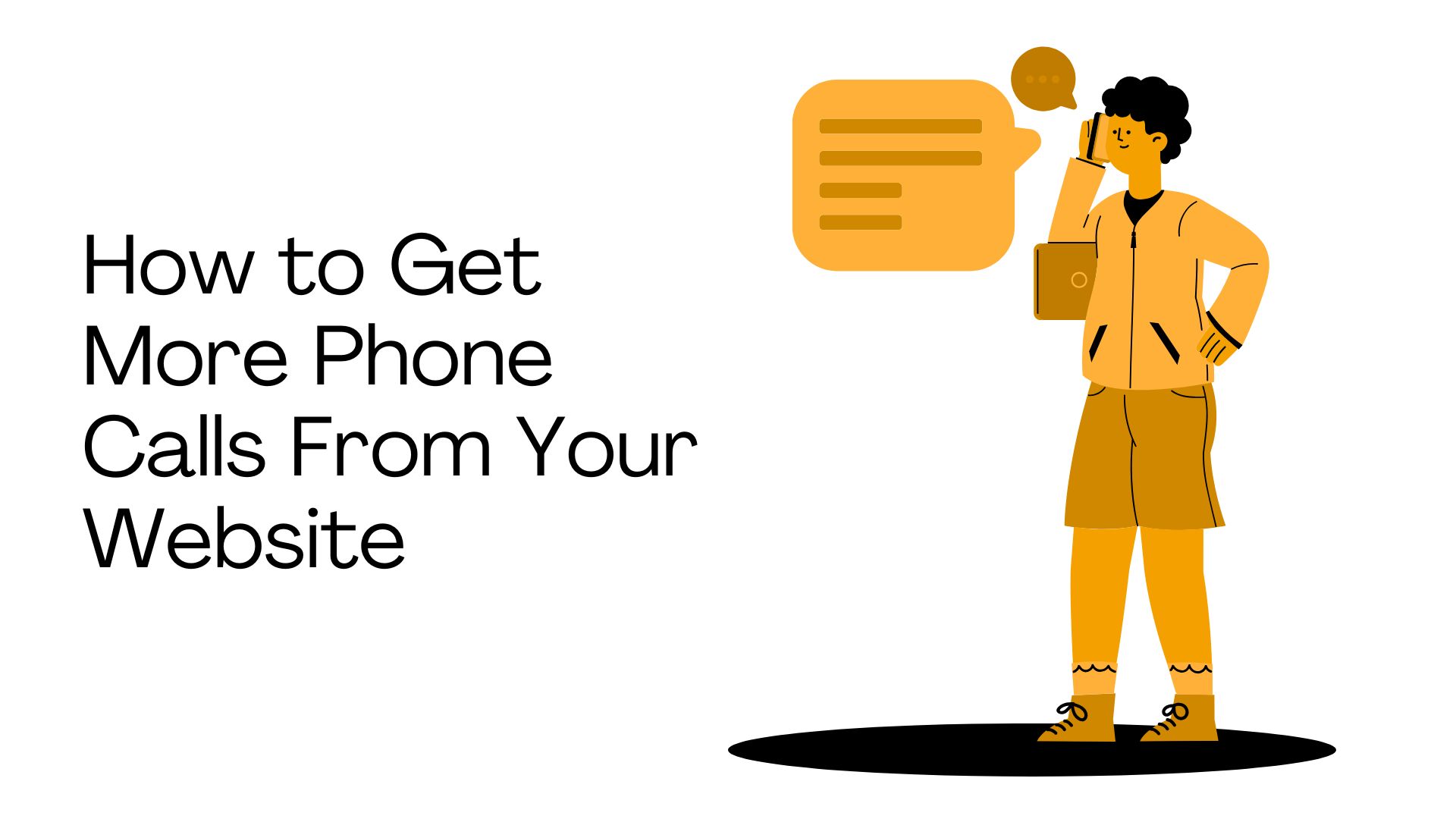
For many Melbourne service businesses, a phone call is the most valuable thing a website visitor can do. It is higher intent than a form submission, faster than an email and more likely to turn into a booked job or appointment. Yet most small business websites treat the phone number like an afterthought, hidden in the footer or buried on the contact page.
This guide covers where to place phone numbers, how to use tap to call properly, when sticky call buttons help, how to track phone enquiries and when calls should be prioritised over forms. If you want the full picture of how to build a website that converts, our web design pillar guide covers everything. This article focuses specifically on the phone call path.
The Straight Answer: Make Calling Obvious, Easy and Worth It
To get more phone calls from your website, you need to make three things clear: who should call, why they should call and how to call quickly.
A call focused website should include:
Clickable phone numbers on every important page
A visible call CTA above the fold on the homepage and key service pages
A sticky mobile call button for businesses where calls are a primary lead source
Phone CTAs that match the service on each page
Trust signals placed near call prompts (reviews, credentials, service area)
Clear opening hours or response expectations
Call tracking so you can measure what is working
If phone calls are one of your most valuable leads, your website should treat calling as a primary conversion path, not an afterthought.
First, Should Your Website Prioritise Calls or Forms?
Not every business should push phone calls. The right answer depends on your service, your customers and how your team handles enquiries.
Prioritise calls when speed matters
Phone calls are usually the better conversion path when the customer needs help quickly, has an urgent problem, wants a same day answer, needs pricing or availability, is comparing local providers on mobile or is ready to act now. Think emergency plumbers, electricians, locksmiths, clinics, mechanics, pest control and towing services.
Prioritise forms when details matter
Forms may work better when the service is complex, the project needs scoping, photos or documents are useful, the enquiry needs qualification before a call, the business cannot answer calls immediately or the buying journey is longer. Think web design projects, building quotes, renovations, consulting and B2B services.
Most businesses need both
Calls are best for urgent or high intent visitors. Forms are better for visitors who need to explain details, enquire after hours or are not ready to speak yet. The website should make both available, but one should lead based on the business model.
Business Type | Prioritise Calls When | Prioritise Forms When | Recommended CTA Setup |
|---|---|---|---|
Tradies / emergency | Urgent jobs, same day service, mobile users | Complex quotes needing photos or measurements | Primary: Call Now. Secondary: Request a Quote form |
Clinics / salons | Appointment availability, urgent care, mobile | After hours booking, new patient intake | Primary: Call to Book. Secondary: Book Online |
Professional services | Initial enquiry, warm leads, simple questions | Detailed project scoping, document sharing | Primary: Call to Discuss. Secondary: Enquiry form |
Agencies / B2B | Warm leads after research, quick questions | Project briefs, budget/timeline qualification | Primary: Enquiry form. Secondary: Call option |
Ecommerce | High value purchase support, complex orders | General enquiries, returns, simple support | Primary: Buy online. Support: Phone or chat |
Emergency services | Always. Speed is everything. | Almost never. Callers need help now. | Primary: Call Now (prominent). Form as backup only. |
Where to Put Your Phone Number on a Website
Page / Section | Call CTA Placement | Best Wording | Common Mistake |
|---|---|---|---|
Header | Visible on desktop. Tappable button on mobile. | Call 03 XXXX XXXX or Call Our Melbourne Team | Tiny non clickable text that disappears on mobile |
Hero section | Primary or secondary CTA in the hero | Call Now for Same Day Help / Call for a Free Quote | No phone CTA at all in the hero section |
Service pages | After problem description and proof sections | Call About [Specific Service] / Speak With a [Role] | Generic "Contact Us" that does not match the service |
Contact page | Prominent, with hours and expectations | Prefer to talk? Call during business hours. | Phone number buried below a long form |
Landing pages | Primary CTA if calls are the campaign goal | Call Now / Speak With Our Team / Get a Quote by Phone | No phone option on a campaign targeting urgent intent |
Footer | Present but not the only location | Phone number with hours | Footer as the only place the number appears |
Sticky mobile bar | Fixed bar at bottom of mobile screen | Call Now (left) + Get a Quote (right) | Sticky bar that blocks form fields or important content |
The key principle is simple: put the phone number where intent is strongest. That means the header, the hero and the service pages, not just the footer and contact page. For a deeper look at structuring service pages for conversion, see our guide on service page conversion tips.
How Tap to Call Works
A tap to call link lets mobile users tap the phone number or a call button and start a phone call directly from their device. It is one of the simplest conversion features a website can have and one of the most commonly broken or missing on small business sites.
How it works: The phone number is wrapped in a tel: link. When a mobile user taps it, their phone opens the dialler with the number pre filled. On desktop, clicking it typically opens a calling app if one is available.
Best practices:
Use the full phone number in the visible text (not just an icon)
Use international format in the tel: link where possible (e.g. +6139XXXXXXX)
Make buttons large enough to tap easily on a small screen
Test on real phones, not just a desktop browser
Make sure the phone number is correct and consistent across the site
CTA examples that work well:
Call Now
Call for a Quote
Speak With Our Team
Call a Local Plumber
Book by Phone
Emergency? Call Now
Sticky Call Buttons: When They Help and When They Annoy People
When sticky call buttons are useful
A sticky call button works well when phone calls are a primary lead source, most users are on mobile, the service is urgent and visitors often need quick answers before booking. Best fit industries include tradies, emergency services, clinics, salons, legal enquiries and appointment based businesses. For a detailed look at what tradie websites specifically need, see our guide on what a tradie website actually needs.
When sticky call buttons may not be right
Reduce or skip them when the business prefers qualified forms, the service is high ticket and consultative, visitors need to read detailed information first or the sticky button blocks content, forms or other CTAs. A sticky bar that competes with a cookie banner and a chat widget creates a cluttered, frustrating mobile experience.
Sticky call button best practices
Show on mobile only (desktop users can use the header number)
Keep clear of form fields and important content
Use clear wording: "Call Now" on one side, "Get a Quote" on the other
Test on different screen sizes to make sure nothing gets blocked
Do not let it compete with cookie banners or chat widgets
Use Call CTAs That Match the Visitor's Intent
"Contact Us" tells visitors nothing about what kind of conversation they are starting. Better CTAs match the visitor's intent:
Urgent intent: "Call Now", "Emergency? Call Now", "Call for Same Day Help"
Quote intent: "Call for a Quote", "Talk Through Your Project", "Call to Discuss Pricing"
Booking intent: "Book by Phone", "Call to Make an Appointment", "Call to Check Availability"
Advice intent: "Not Sure What You Need? Call Us", "Talk It Through With Our Team"
Give People a Reason to Call Before You Ask Them To
A phone number without trust is just a phone number. A phone number with proof becomes easier to act on. People hesitate to call if they are unsure whether the business is legitimate, local, suitable or responsive.
Add trust signals near phone CTAs:
Google rating and number of reviews
Years in business
Licence number and insurance details
Real team or founder photos
Real project photos (not stock images)
Response time or same day availability
Local service area
Pricing guidance or "free quote" reassurance
Guarantee or warranty
Example: "Rated 4.9 stars by Melbourne homeowners. Licensed, insured and available for same day plumbing where possible." Followed by: Call Now.
Mobile First Design: The Key to More Phone Calls
Most phone calls from websites happen on mobile devices. If the mobile experience makes it hard to find or tap the phone number, you are losing the visitors most likely to call.
Mobile users need fewer steps
A mobile visitor should not have to pinch and zoom, copy a phone number manually, open the contact page separately, scroll past long sections, search through a menu or fill out a long form when they just want to call.
What mobile call UX should include
Tap to call button visible above the fold
Phone number in a sticky mobile bar (for call led businesses)
Short service summary so visitors know they are in the right place
Trust proof close to the call CTA
Clear opening hours
Short form as a backup for after hours or detail heavy enquiries
Fast loading pages (a slow page loses the visitor before they see the number)
If your site loads slowly on mobile, the call button might as well not exist. For practical speed fixes, see our guide on practical load speed fixes.
How to Increase Calls From Different Website Pages
Homepage
The homepage should send people to the right action quickly. For call focused businesses, that means a call button in the hero, a sticky call button on mobile, proof near the hero, main services listed, service area visible and a phone CTA after the service section.
Service pages
Service pages are often where call intent is strongest. Add a service specific phone CTA, problem first copy, FAQs, proof, service area, pricing or quote guidance and a phone CTA after the sections that address common objections.
Landing pages
For paid campaigns, landing pages should have one primary CTA, stripped back navigation, phone or form depending on the campaign goal, call tracking, proof before the CTA and fast mobile speed. If you are running Google Ads and sending traffic to landing pages, our guide on high converting landing page structure covers the full framework.
Blog and article pages
Articles usually have lower immediate call intent, but they can still support calls with contextual CTA boxes, "Need help with this?" sections, links to relevant service pages and a bottom CTA. Place phone prompts only where they feel natural.
Contact page
Make it easy to choose between phone and form. Include a "Call us" section with the number and hours, a "Send an enquiry" form, service area and a clear statement of what happens after the visitor makes contact.
How to Track Phone Calls From Your Website
If you cannot measure phone calls, you cannot improve them. There are several ways to track calls and the right approach depends on how important phone enquiries are to the business.
Track phone number clicks in GA4
For mobile users, you can track clicks on tel: links as website events in Google Analytics 4. This shows how many people tapped the phone number, which pages drove phone clicks, which traffic sources drove call clicks and whether mobile visitors are using call CTAs. For help setting this up, see our guide to GA4 setup for small business.
Important: A phone click is not the same as a completed phone call. Someone may tap and not connect or the call may not be answered. Phone click tracking shows intent, not outcomes.
Use call tracking software for deeper data
Dedicated call tracking tools can measure call source, call duration, answered vs missed calls, first time callers, keyword and campaign attribution, call recordings (if compliant) and lead quality.
Track calls from Google Ads separately
If you are running paid campaigns, phone calls may need separate conversion tracking inside Google Ads. This is important for understanding how much your Google Ads actually cost per lead and whether calls from ads are converting into revenue. Keep call tracking aligned across GA4 and Google Ads to avoid double counting.
Compare phone calls with form submissions
Do not look at calls in isolation. Track phone clicks, form submissions, bookings, quote requests, call quality, missed calls, booked jobs and revenue. The goal is not just more calls. It is more useful enquiries.
Tracking Method | What It Measures | Limitation | Best For |
|---|---|---|---|
GA4 tel: click event | Phone number taps from the website | Does not confirm call connected or quality | Basic click tracking for all businesses |
Google Ads call conversion | Calls from ad clicks, call extensions | Only covers paid traffic. Needs setup. | Businesses running Google Ads campaigns |
Call tracking platform | Source, duration, recording, missed calls, attribution | Costs money. Dynamic numbers can affect NAP consistency. | Businesses investing in marketing attribution |
CRM call notes | Lead quality, outcome, revenue from call | Manual. Depends on staff discipline. | Businesses tracking lead to sale pipeline |
Manual call log | Who called, when, what they needed | Easy to forget. Hard to scale. | Small businesses just starting to track |
When Calls Matter Most: Industry Specific Guidance
Tradies and emergency services
Calls should usually be the primary conversion path. The website should include a sticky call button, emergency CTA, service area clarity, licence and trust proof, same day wording if true and a phone number on every service page. Plumbers, electricians, locksmiths, pest controllers and towing services all fit this model.
Clinics, salons and appointment businesses
Calls can support bookings but may not be the only path. Use a call button alongside a "Book Online" button, include opening hours and location details and add appointment FAQs and cancellation info.
Professional services
Calls may be useful for initial enquiries, but forms often qualify better. Accountants, lawyers, consultants and mortgage brokers should use CTAs like "Book a consultation" or "Call to discuss your situation", paired with a short enquiry form, trust proof and clear expectations about the process.
Agencies and B2B services
Calls are often better after qualification. Use project enquiry forms with budget and timeline fields, offer discovery call booking for warm leads and use CTAs like "Talk to our team" rather than "Call Now".
Ecommerce
Calls are usually support focused rather than primary conversion. Include a contact or support number for complex or high value purchases, live chat or a support form for general enquiries and clear FAQs covering delivery, returns and order issues.
Getting More Calls Is Only Useful if Someone Answers Them Well
A website can generate calls, but the business still needs to handle them. Missed calls are missed leads.
Check:
Who answers calls during business hours?
What happens after hours? Is there a voicemail? A callback process?
Are missed call notifications set up?
Is call routing configured (multiple staff, overflow)?
Do staff know what page or campaign the call likely came from?
Is voicemail professional and clear?
Website copy should set expectations:
"Call during business hours for same day availability."
"If we miss your call, leave a message and we will get back to you within the hour."
"For detailed project enquiries, send the form and we will review it before calling you back."
If your website is generating traffic but enquiries are low across both calls and forms, the issue may be broader than just the phone path. Our guide on why your website gets traffic but no enquiries covers the full conversion picture.
Website Phone Call Checklist
Header and hero
Phone number visible on desktop header
Tap to call button visible on mobile
Call CTA above the fold
Trust proof near the call CTA
Mobile
Sticky call button if calls are important to the business
Large tap targets (easy to hit with a thumb)
No popups blocking the call button
Forms do not overlap the sticky bar
Call path works in under 10 seconds
Service pages
Service specific phone CTA on each key page
Phone number repeated after key content sections
Proof placed before call prompts
Location and service area shown
Contact page
Phone number easy to find
Business hours listed
Form available as backup
Response expectations clear
Tracking
tel: clicks tracked as events in GA4
Phone clicks reviewed in analytics reports
Call tracking considered for paid campaigns
Missed calls monitored
Lead quality reviewed (not just volume)
If you want a broader health check of your website beyond just the call path, our DIY website audit checklist covers clarity, speed, mobile, CTAs, trust and tracking in 30 minutes.
Common Mistakes That Reduce Website Phone Calls
Hiding the phone number in the footer. The footer is useful for people who scroll down. It should not be the only place the number appears.
Making the phone number non clickable on mobile. If mobile users have to manually type the number, most will not bother.
Using "Contact Us" when "Call Now" would be clearer. Generic CTAs reduce urgency and clarity.
Having no sticky mobile call option for urgent services. Tradies, clinics and emergency services benefit from a persistent call button.
Blocking the call button with popups or chat widgets. Cookie banners, chat widgets and sticky bars can stack up and cover the call CTA on small screens.
Asking people to fill out a form when they need urgent help. If someone has a burst pipe, they do not want to type their postcode into a form.
Not showing opening hours or service area. People hesitate to call if they do not know whether the business is open or local.
Not placing proof near call CTAs. Trust signals near the phone number increase the likelihood someone will actually tap it.
Tracking form leads but not phone clicks. If you only measure forms, you have no visibility on whether the phone path is working.
Getting more calls but missing or mishandling them. More calls only matter if the business answers, qualifies and follows up properly.
What We Recommend at Elev8d
Getting more calls from a website is usually not about a clever trick. It is about removing friction.
Make it obvious that the business takes calls. Make the number easy to tap. Give people a reason to trust the business before they call. Place call CTAs where intent is strongest. Track the calls properly. And make sure someone actually answers.
For call led businesses, a good phone path can be one of the most valuable parts of the entire website. It does not need to be complicated. It needs to be visible, clickable, trustworthy and tracked.
FAQs
How do I get more phone calls from my website?
Make your phone number visible and clickable on every important page. Use tap to call on mobile. Add a sticky call button for call led businesses. Place trust signals near phone CTAs. Track phone clicks in GA4. And make sure someone answers the calls.
What is tap to call on a website?
Tap to call is a link that lets mobile users tap a phone number or button and start a phone call directly from their device. It uses a tel: link in the HTML code.
Where should I put my phone number on my website?
In the header, the hero section, on service pages, on the contact page and in the footer. For call led businesses, a sticky mobile bar is also worth considering. The phone number should appear wherever visitor intent is strongest.
Should I use a sticky call button?
If phone calls are a primary lead source and most of your users are on mobile, yes. Tradies, emergency services, clinics and appointment based businesses typically benefit most. Avoid it if it blocks content or competes with other CTAs.
Should my website prioritise calls or forms?
It depends on the business. Urgent services should usually prioritise calls. Complex or consultative services may benefit from forms. Most businesses need both, with one leading based on the typical customer journey.
Can Google Analytics track phone calls?
GA4 can track clicks on tel: links as website events. This measures phone click intent, but not whether the call connected or its quality. For deeper data, dedicated call tracking software is needed.
What is the difference between phone click tracking and call tracking?
Phone click tracking (GA4) measures when someone taps the phone number. Call tracking (dedicated software) measures whether the call connected, how long it lasted, whether it was answered and sometimes the call source and recording.
Should every page have a phone number?
Every important page, yes. The homepage, service pages, contact page and landing pages should all have a visible phone CTA. Blog or resource pages can include it in the footer or a contextual CTA box.
What industries benefit most from call focused website design?
Tradies, emergency services, clinics, salons, legal enquiries, local repair businesses and any service where the customer wants a quick answer or same day help.
How do I know if website phone calls are good quality?
Track more than just call volume. Look at call duration, whether calls convert to booked jobs, whether callers match your ideal customer profile and whether calls are being answered and followed up properly.
Next Steps: Pick Your Path
Calls are critical and the phone path is weak? Start with the checklist above. Add tap to call, move the phone number higher and add a sticky mobile bar.
Getting traffic but not enough calls? Check whether the issue is phone placement, trust, speed or copy. Run the one thumb mobile test.
Want to track what is working? Set up tel: click tracking in GA4 and review which pages drive the most phone taps.
Running ads to phone focused landing pages? Make sure call tracking is set up in both GA4 and Google Ads. Our guide on why Google Ads are not converting covers the landing page side.
Need a site built for phone conversions? Talk to Elev8d about building a mobile first website where calling is obvious, easy and trackable.
Sources and Further Reading
- ACCC - Advertising and Promotionsaccc.gov.au
- Rules on truthful claims, reviews and pricing transparency on websites
- OAIC - Australian Privacy Principlesoaic.gov.au
- Privacy requirements for businesses collecting personal information, including call recording
- Australian Government Digital Service Standarddigital.gov.au
- Guidance on building accessible, user centred digital services
- web.devweb.dev
- Mobile UX Best Practices - Google's guidance on accessible, mobile friendly web design
- Google Analytics 4 Documentationsupport.google.com
- Event tracking setup including tel: link click events